

FFab, your assistant, lives inside the ERP
Run the business. Ask your books.
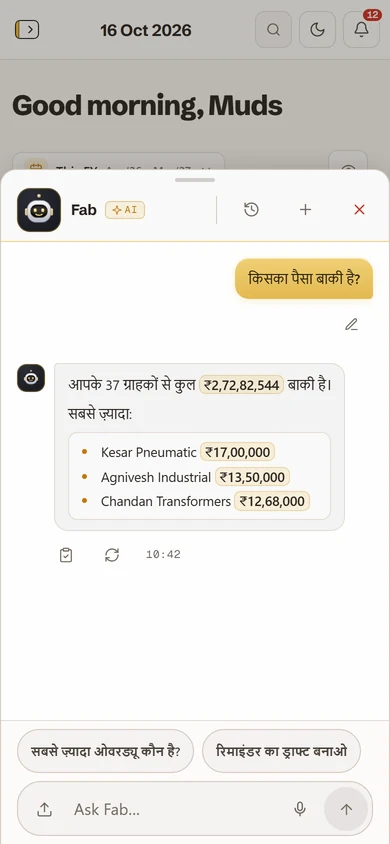
Dues and cash from Tally, orders from your mailboxes, the muster marked at the gate. Ask a question. Fab opens the page.

Try it Press the moon for the dark theme.
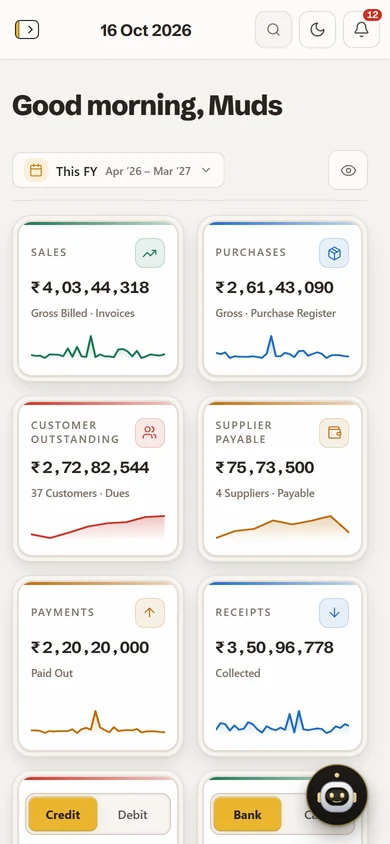
Try it: tap the moon for the dark theme.
On your phone
The whole ERP. In your pocket.
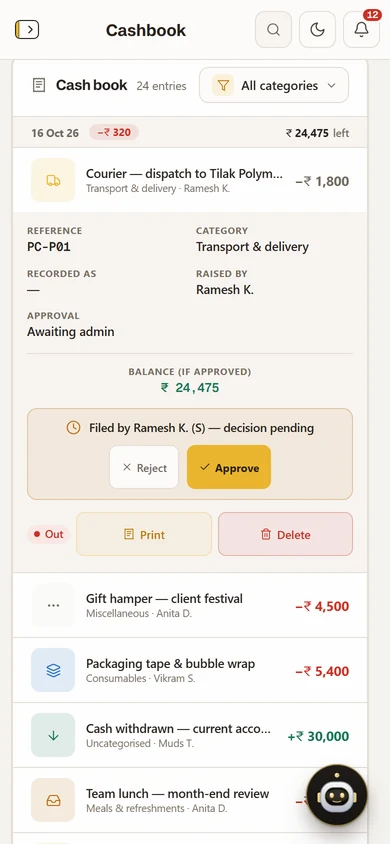
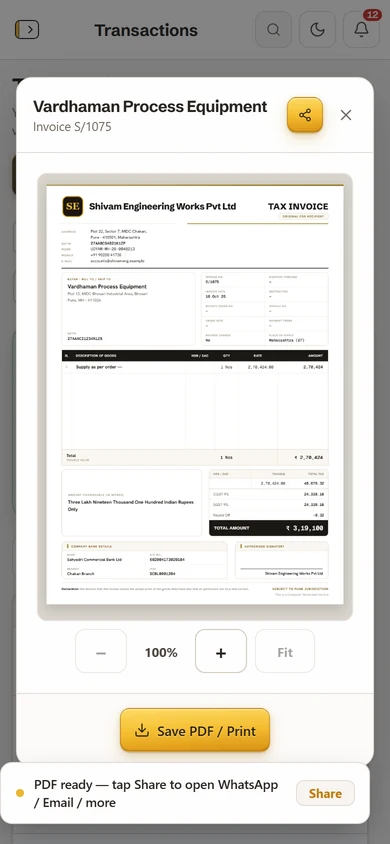
Every book and every module runs on the phone. Approve, check and chase from the shop floor, the road or home.
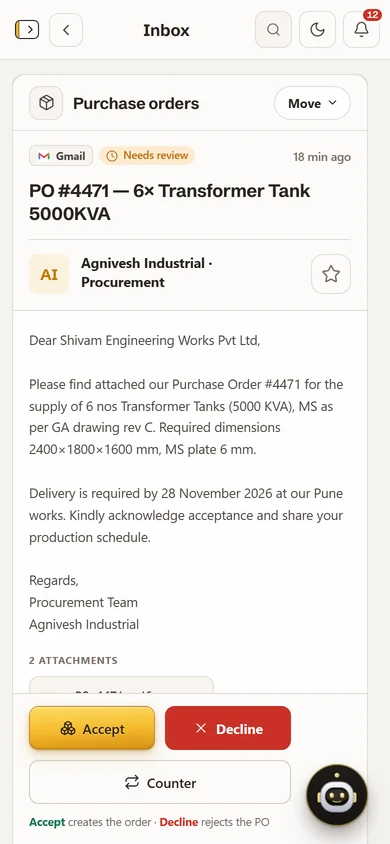
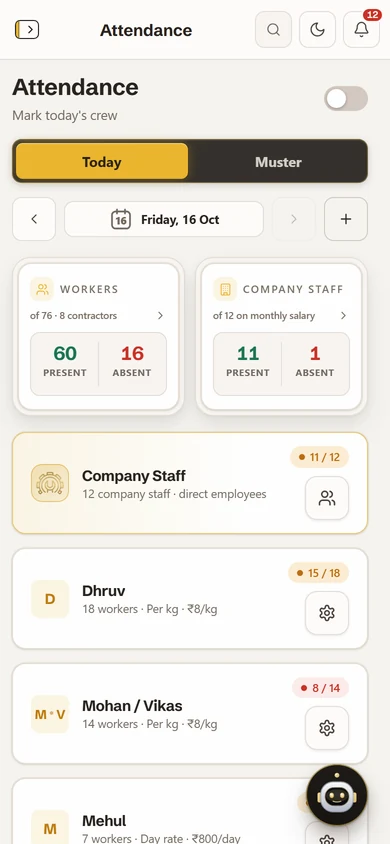
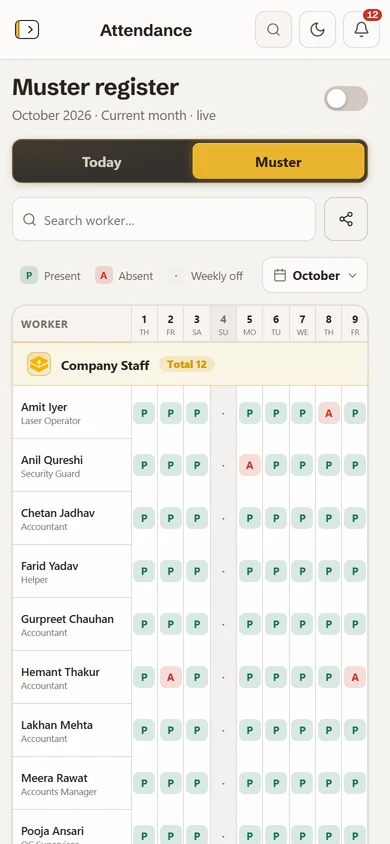
01 / 07 Dashboard, on the phone
- No app storeInstall it from your phone’s browser. It opens with a 4-digit PIN.
- Cash from the siteStaff enter cash and bank movements; they wait for an admin’s check.
- Papers on WhatsAppQuotations, tax invoices and challans go out from the phone.
- Same books, every screenPhone, tablet and laptop open the same books, live.
One order, one rail.
From the customer’s PO to the books, every step lands in the same place. Pick a station to see the screen.
Please find attached our Purchase Order #4471 for the supply of 6 nos Transformer Tanks (5000 KVA), as per GA drawing rev C. Required dimensions 2400×1800×1600 mm, MS plate 6 mm.
Delivery is required by 28 November 2026 at our Pune works. Kindly acknowledge acceptance and share your production schedule.
Regards,
Procurement Team
Agnivesh Industrial
Order details read from the PO
- Product
- Quantity
- Material
- Delivery
- Client
Acceptand it becomes an order
Please find attached our Purchase Order #4471 for the supply of 6 nos Transformer Tanks (5000 KVA), as per GA drawing rev C. Required dimensions 2400×1800×1600 mm, MS plate 6 mm.
Delivery is required by 28 November 2026 at our Pune works. Kindly acknowledge acceptance and share your production schedule.
Regards,
Procurement Team
Agnivesh Industrial
Order details read from the PO
- Product
- Quantity
- Material
- Delivery
- Client
Acceptand it becomes an order
Your accountant keeps Tally. You get the floor on top of it.
Connect once. Every entry is filed against its party, and the office and the floor read the same books.
| Connector | Comes in | You get |
|---|---|---|
| C1Tally | Vouchers, ledgers and GST figures from your Tally company. Your accountant keeps working in Tally. | The same figures on every screen: the dashboard, every ledger, dues by age, and the list of who to phone today. |
| C2Your mailboxes | Gmail, Outlook, Zoho or any IMAP box, up to 5 on Gold. | Purchase orders picked out and queued for review. Accept one and it becomes an order, followed to dispatch. |
| C3Uploads, or just ask | A PO, an invoice or a policy, dropped in or asked about in your own words. | Fab reads it and fills the form; you press save. Quotations, tax invoices and challans go out on WhatsApp. |
Tally + mailbox connectorsServers in IndiaExport your data any time
What owners ask us first.
Is the trial really free?
Yes. Razorpay takes ₹5 to check the card or UPI and refunds it automatically. Your first charge is on day 15, and we write before it. Until self-serve sign-up opens, we set the trial up with you: send a trial request.
How does Tally connect?
As a connector. Tally brings in your vouchers and GST figures; your mailboxes connect too: up to 2 on Silver, 5 on Gold.
Where is my data?
On Fab ERP’s own servers in India.
Is there an app?
Install it from your phone’s browser; it opens with a 4-digit PIN. No app store.
What does Fab, the assistant, see?
Only the books your role may see. Admins decide who may use it.
How do I cancel?
Write to us, or cancel the auto-pay in your bank or UPI app. A monthly plan stops at the end of the month you are in; nothing is charged after that.